Buckfast 1 and Cortex All-in-one Package

When you use TheHive, running an analyzer on an observable through Cortex will generate a long report and, in most cases, a short report as well.

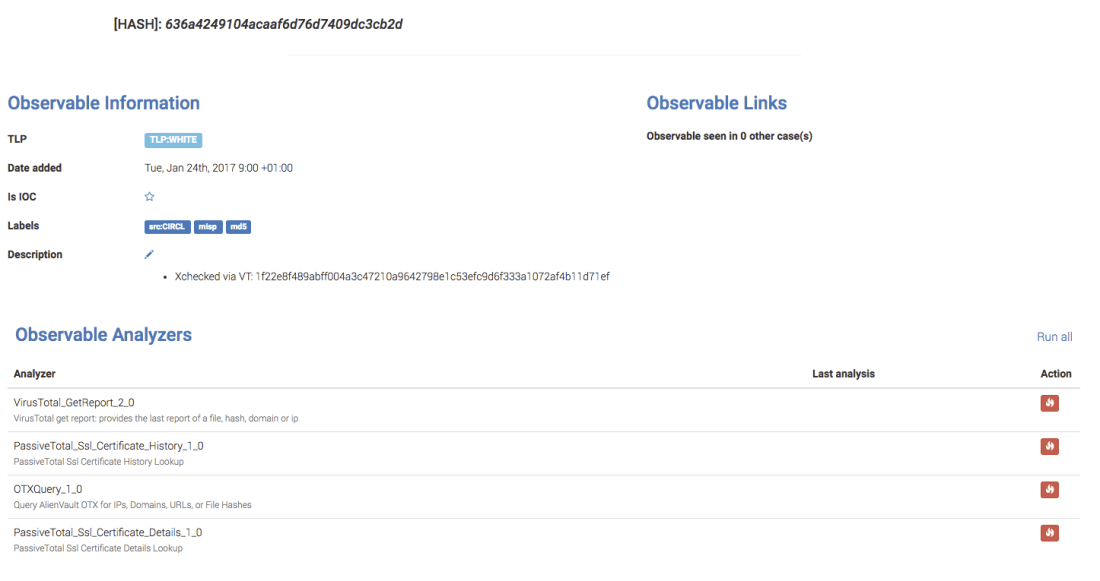
Let’s see how this works in practice through an example. Assume we are trying to assess whether the 636a4249104acaaf6d76d7409dc3cb2d MD5 hash is malicious or not:

Screen Shot 2017-03-26 at 22.21.10.png

We start by clicking on it, which will open a new tab:Screen Shot 2017-03-26 at 22.21.22.pngThis TLP:WHITE hash was imported from a MISP event published by our good friends at CIRCL.lu sometimes ago. As you can see from the screenshot above, no analyzer was executed on it.  Let’s check if it is known to VirusTotal (VT). To do so, we just need to click on the fire icon located at the right side of the VirusTotal_GetReport_2_0 row.
Screen Shot 2017-03-26 at 22.21.53

A blink of an eye later, the job has finished successfully as we can tell from the green checkmark. Clicking on the date will let us see the long report, presented according to a report template that we freely provide with most analyzers to the exception of PassiveTotal (but in a few days, PT will also get its own nifty templates).Screen Shot 2017-03-26 at 22.22.11.png

Since we are checking whether VT knows a hash or not, it will give us the results if any corresponding to the last time the associated file was scanned on the service. In our case, this dates back to Dec 2, 2016.

When the analyzer was executed, it also produced a short report which TheHive displays below the observable:Screen Shot 2017-03-26 at 22.21.45.pngShort reports come in 4 colors. Red means danger (what else?). Orange means suspicious. Green means innocuous. And blue is informational. OK but what does this have to do with the title of this post?

A few days ago, while working on a new set of analyzers, Nils Kuhnert reported an issue in Buckfast 1 (2.10.1) pertaining to short reports on observables. When he ran some analyzers that should have produced short reports, he didn’t get any. When he reverted to Buckfast 0 (2.10.0), it worked. We tracked down the problem and found that our build process was the culprit. The all-in-one  binary package which was supposed to contain Buckfast 1 and Cortex was in fact a 2.10.0 TheHive snapshot that had a regression. We have uploaded a fresh all-in-one binary package with Buckfast 1 instead of the development snapshot.

If you have grabbed the binary all-in-one package, please download it again and update your instance. If you are using a docker version or built Buckfast 1 from sources, you are fine. To make sure you are running the right version, click on your username once you are logged in then on About TheHive. You should see the following information:Screen Shot 2017-03-26 at 22.56.09.png

We are going to review our release process from the ground up to ascertain such errors never occur again. We expect it to be ready for Mellifera, our next major release of TheHive. Please note that starting from that release, we will no longer provide all-in-one binary and docker packages. Instead, we’ll have separate packages for TheHive and Cortex. TheHive4py and the upcoming Cortex4py will be made available through PIP.
TheHive 2.9.1: a Case Merging Example

As this reporter informed you a few weeks ago, the fine cooks of TheHive Project were working hard on a new version of TheHive (TH) which most prominent feature is case merging. Put simply, starting from 2.9.1, TH lets you merge two cases together once you realize that they are similar to each other if not outright identical. This will save you from tearing your hair up and duplicating work on two separate investigations only to realize down the DFIR road that they should have been one right from the start.

When you perform a merge, the two original cases will be used to create a new one that is a union of all the observables of its parents. However, all the tasks of the parents will appear in the child, even if a task has the exact same name in the original cases. This might look as a shortcoming but pause a second and think about it. Tasks are basically worklogs and if we were to fuse a task, how would we collect the worklogs in each of them and put them back in an intelligible form? Got any effective ideas? Then what are you waiting for? Shoot them our way.

In the meantime, let’s see how this works in practice through an example. Earlier today*, Antoine, our intrepid security incident response lead of the StarGazer CSIRT imported a MISP event that looked interesting (to him at least):

2-9-1-release-misp_event_import
Antoine imports a Malspam-related MISP event

While Antoine can import a MISP event as a TH case that has no associated tasks and create those by hand, he prefers automating as many things as possible. So he previously logged in as an administrator, then he created a case template for importing MISP events. The template contains the typical set of minimal tasks that need to be performed during the investigation of such events. He hasn’t supplied numerical metrics for the template at this time.

Meanwhile, Isabelle, his fellow analyst, was monitoring the CSIRT mailbox for user reports and notifications that may need to be acted upon. As it happens, Anthony Braco from the HR department forwarded a suspicious email which resembles a malspam:

2-9-1-release-new_case_isa
Isabelle creates a new case upon receiving Anthony’s report

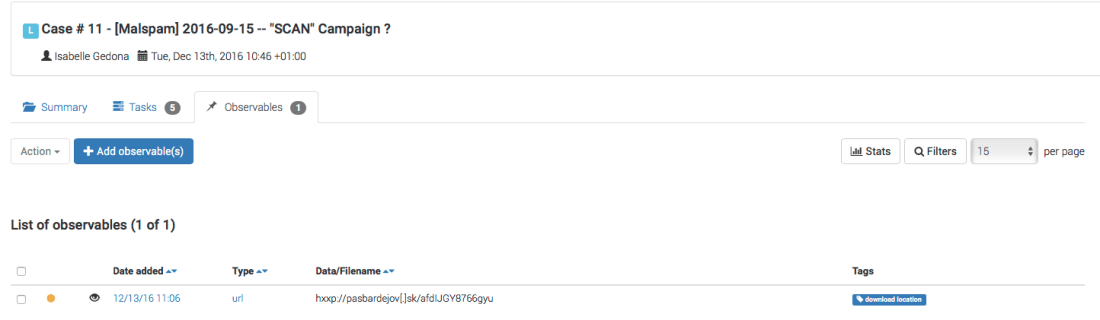
She extracts the suspicious attachment, fires it up in the team’s sandbox and extracts a number of observables which she starts adding to the case:

2-9-1-release-new_observable
Isabelle adds a URL

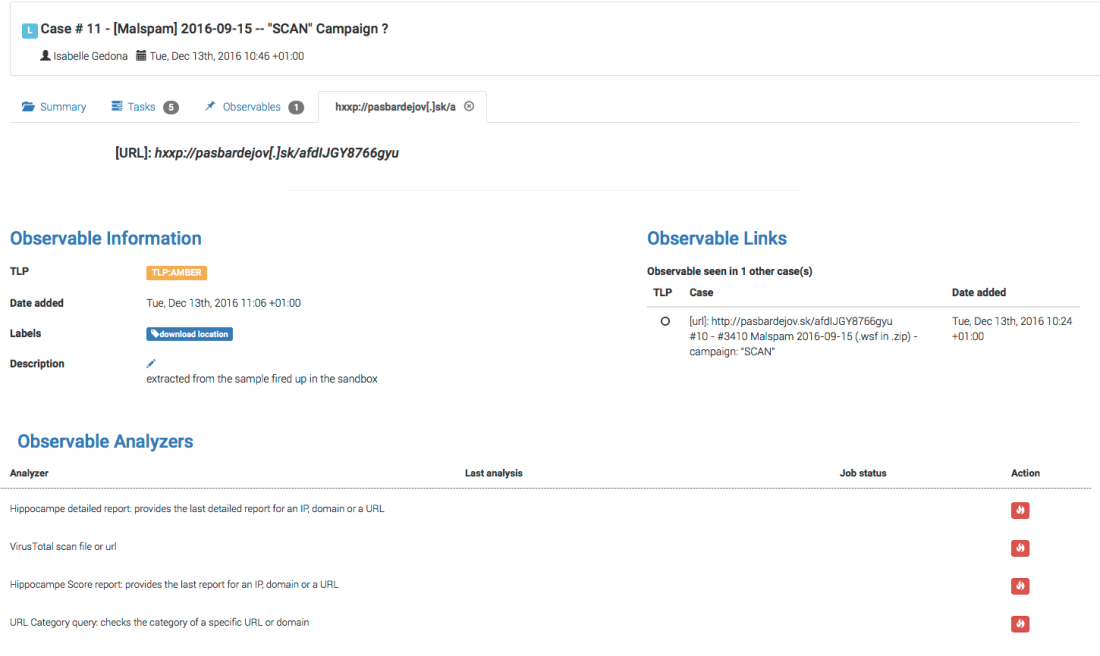
Interestingly, the URL she has just added has the eye icon which means it has already been seen somewhere else. She clicks on the observable to get the details:

2-9-1-release-links
The URL has already been added to another case

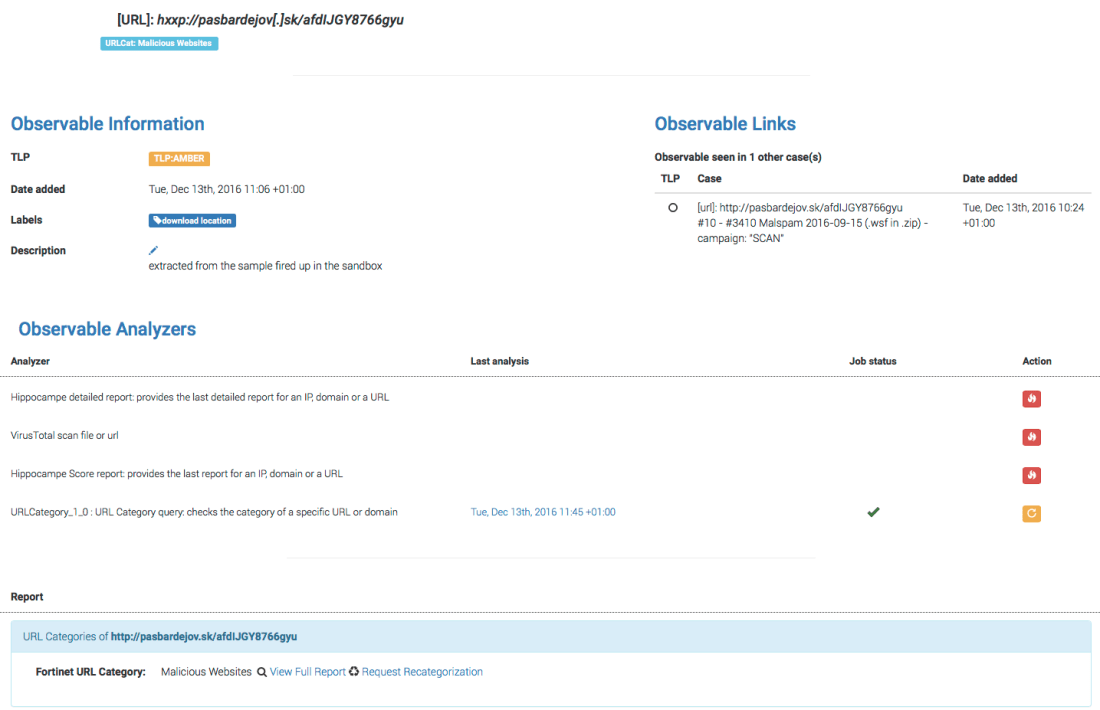
Under the Observable Links section, Isabelle observes that the URL was added to the case #10 that has been created a few minutes ago. She executes the URL Category analyzer that was kindly contributed by Eric Capuano and integrated to TH 2.9.1. The website is flagged as malicious:

2-9-1-release-urlcat
URL Category shows that the URL is malicious

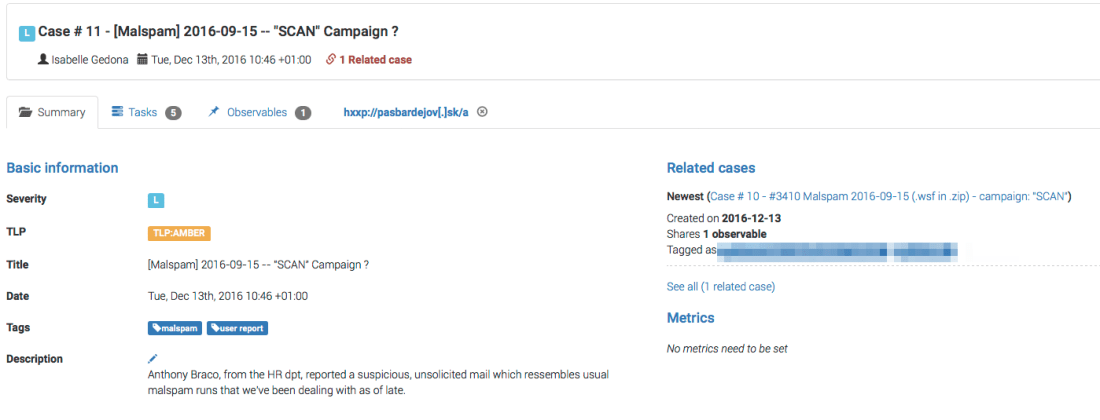
Isabelles then clicks on the Case Summary tab and makes sure that her case shares the observable with the one that was created by Antoine:

2_9_1_release-shared_cases
The Related cases section is of interest

sabelle then decides to perform a merge of her case with Antoine’s. This will let the team avoid duplicating efforts and leverage the attributes from the MISP event that Antoine converted speed up the investigation and cover more ground during the identification, containment and eradication phases of incident response. To do that, she clicks on the facing arrows icon:

2_9_1_release-merge
The facing arrows
2_9_1_release-merge-step1
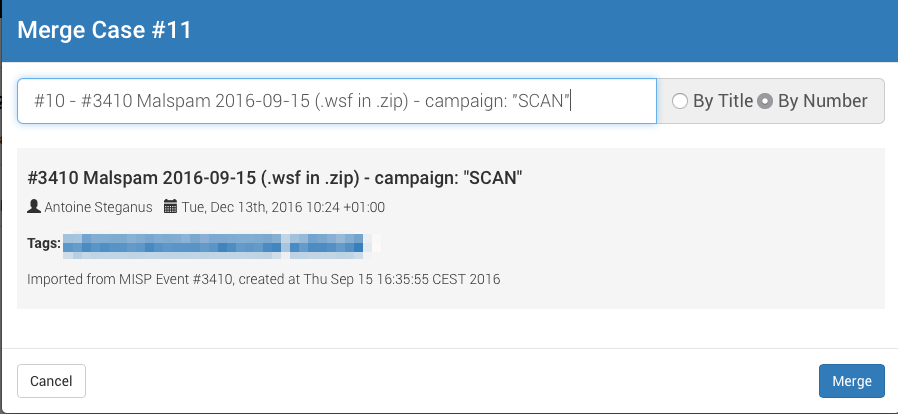
Isabelle searches for the case to merge with hers by number
2_9_1_release-merge-step2
Isabelle selects case #10 and clicks on Merge

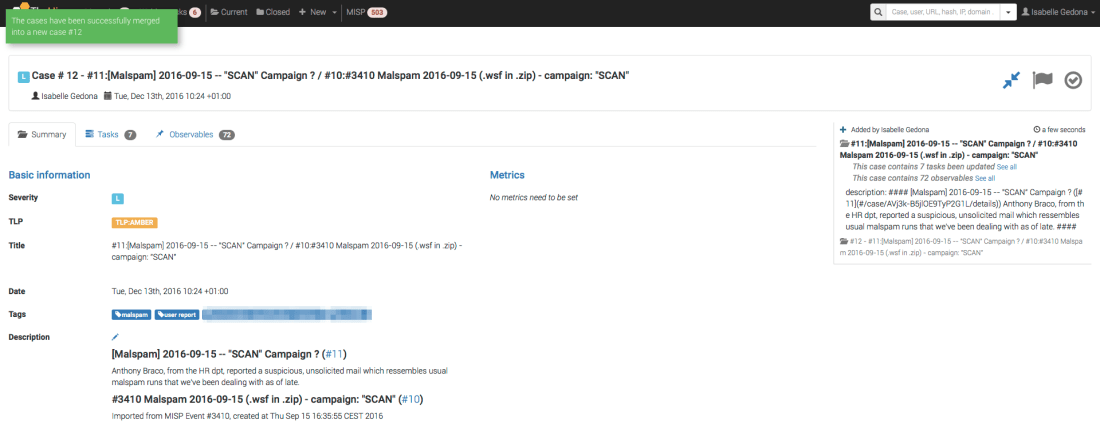
The two cases are then merged and a new one created, containing all the observables, analyzer results, cases and tags of the originals:

2_9_1_release-merge-done
A new case is born

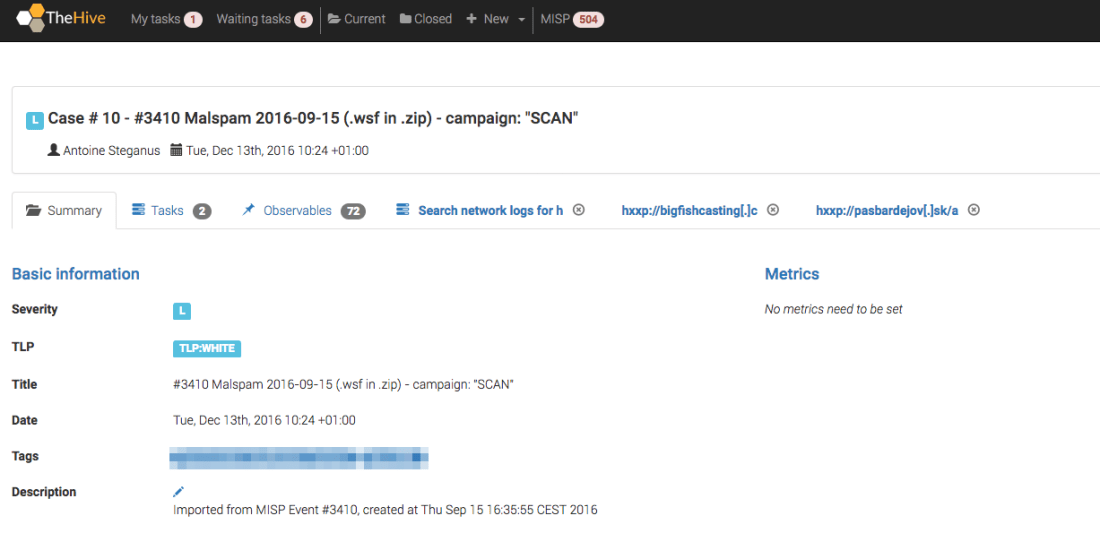
Once the merge operation is completed, the original cases are closed:

2_9_1_release-merge_dup
View of one of the original cases

Besides the case merge feature and the addition of the URL Category analyzer, 2.9.1 fixes a number of bugs and adds a few enhancements, many of which were brought to our attention by our user community. Please read the full changelog for additional details.

If you are a current 2.9.0 user, we highly recommend you update to 2.9.1.

* Please do not put too close an attention to the dates in some of the cases which are off by several weeks. We are intentionally using old data for the sake of demonstrating the feature.